Your daily menu, published in 5 minutes
Getting started guide for restaurants. This is how you publish your menu on Comidantes, step by step, with the example of El Comidante, our sample restaurant.
 Menu published. Your customers can see it.

 Coming sooniPhone, for customers
Step by step
- 1
Create your account and your restaurant
Go to app.comidantes.com on your phone or computer, or use the Android app. Tap “Do you have a restaurant? Sign in here” and sign in with Google or your email.
Type the restaurant’s name and search for its address: the pin on the map lands on your door.
No daily menu (fast food, café…)? Tick “I don’t have a daily menu” and you’ll publish your deals instead of the menu.
Have a website? Enter it when you sign up: the app brings in your details, photos, menu and deals from it, and you check everything before saving.
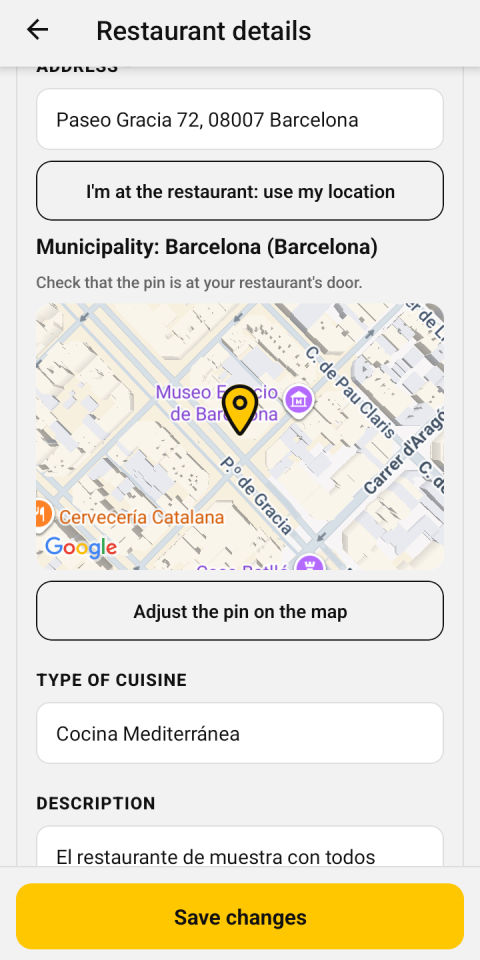
Your address, with the pin on your door - 2
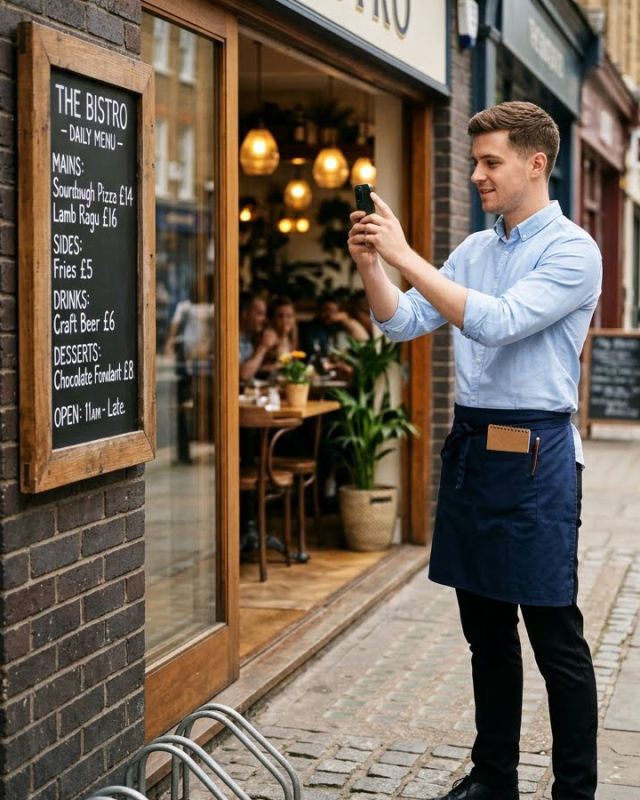
Take a photo of the menu
Of the blackboard, the handwritten sheet or the printed menu; or upload the PDF.
Artificial intelligence sorts it into starters, mains and desserts, with the price, the supplements and the likely allergens of each dish.
No daily menu? Don’t worry: have a look at step 7.
- 3
Check it and publish it
Check the dishes, the price and, above all, the allergens: you decide them, as EU Regulation 1169/2011 requires.
Anyone who marks their allergies in the app sees the dishes that contain them in red.
If you like, add a photo to each dish. Tap “Publish menu” and that’s it.
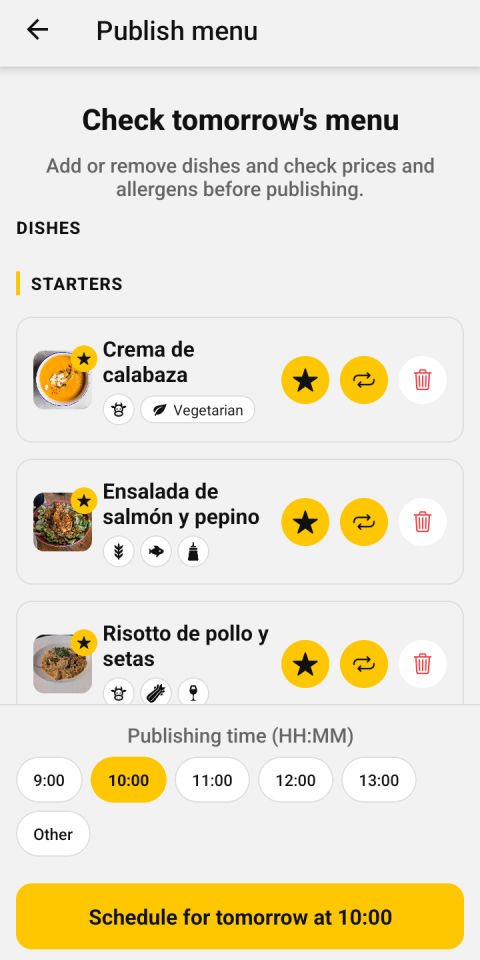
Checking the menu before publishing it - 4
Your customers see it straight away
Your menu appears in Discover and on the map for people nearby, and in dish searches.
Your followers get a mid-morning notification with today’s menus.
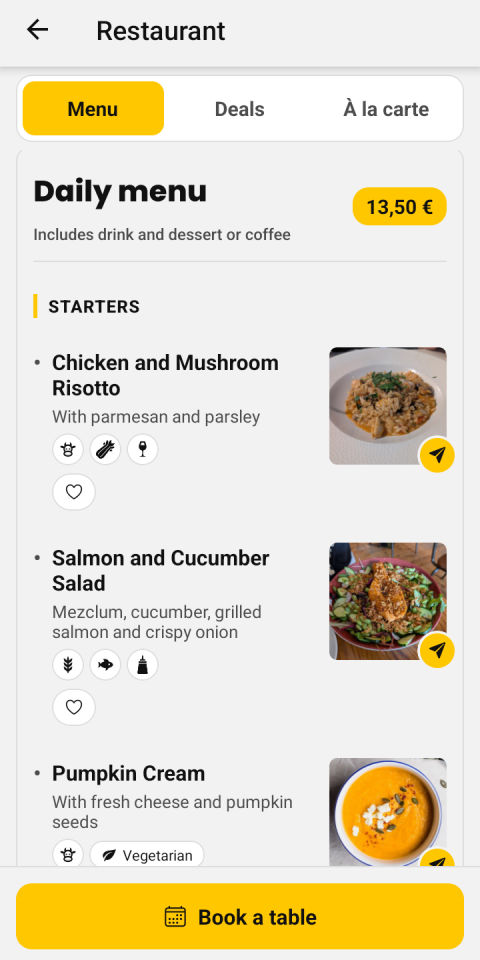
Your menu, as your customers see it - 5
Most important: get your customers to follow you
Your regulars are the first who will see your menu: every day they’ll get it on their phone and share it with the people they eat with.
You’ll find everything in More → Promote your restaurant.
- Ask your customers to download Comidantes and follow you
- When they pay: “Would you like to see our menu on your phone every day? Download Comidantes and follow us.”
- Put the QR poster on the door and the tables
- Print the menu sheet
- Post the menu image to your WhatsApp and Instagram stories
- Share your own page wherever you like
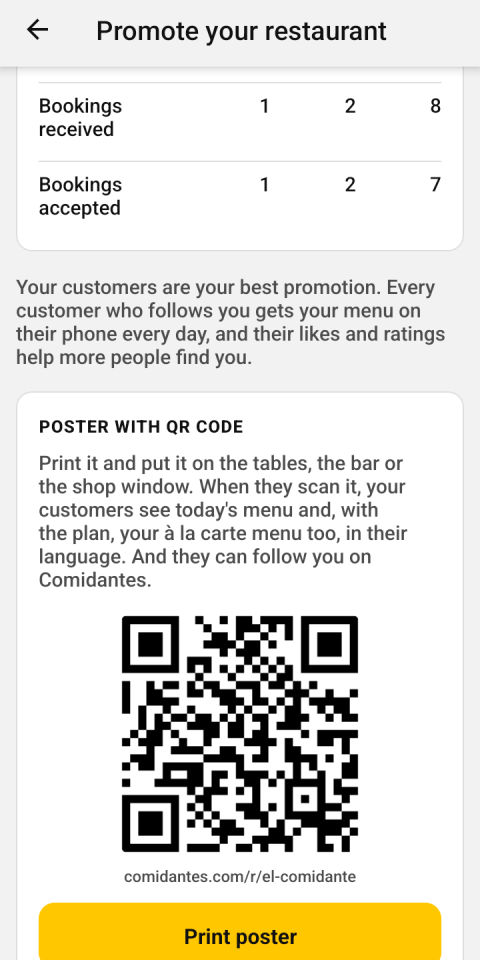
The QR poster and your link - 6
Tomorrow, even faster
Repeat the last menu with one tap, or build it with your regular dishes and your saved menus, without typing anything again.
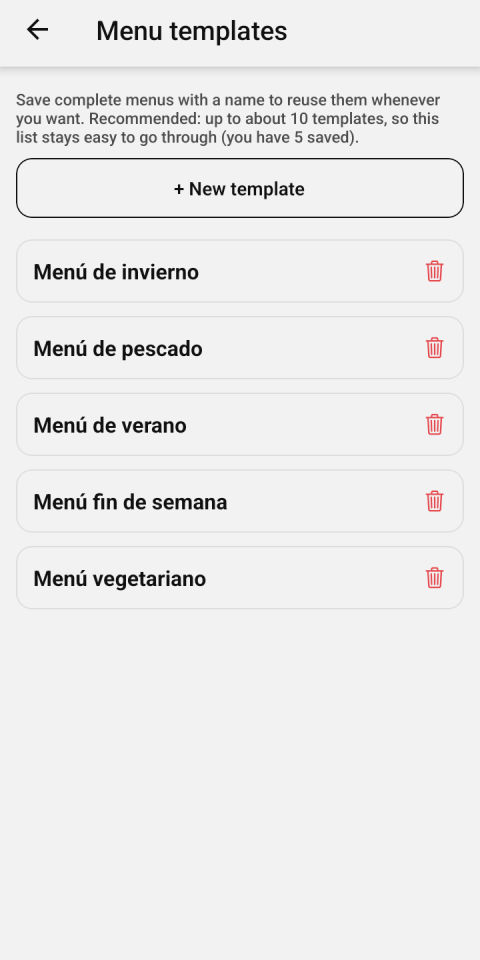
Your saved menus, ready to repeat - 7
No daily menu? Your deals
If you run a bar, a café or a fast-food place, create your deals in More → My deals: products or packs at a set price (“Patatas bravas + 2 beers · €7”), with a photo, allergens and, if you like, a time slot.
Already have them on a poster or your website? “Read the poster” takes them from a photo, a PDF or your website.
Then, from your home screen, “Publish deals”: tick the ones you want customers to see and publish them all at once, or pick one of your bundles.
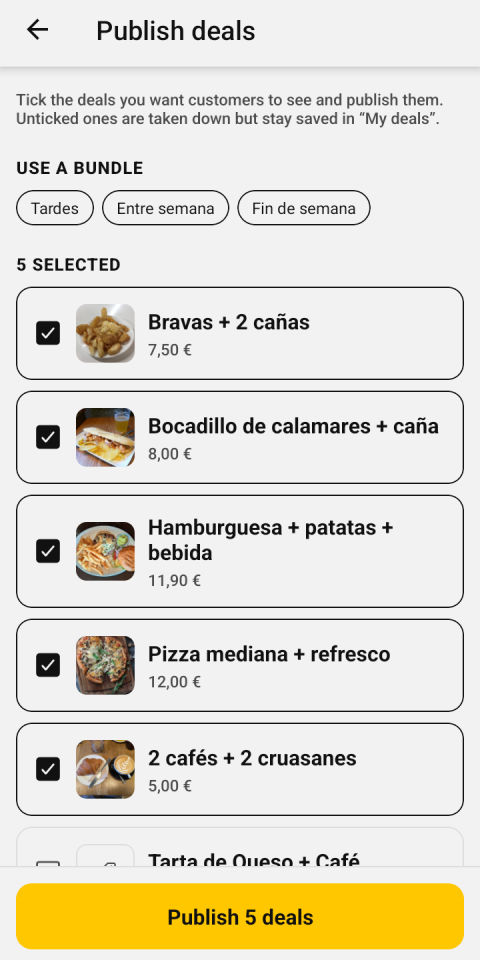
Publish deals, with your bundles


Everything you can do
Anything marked «With the plan» is also included in your free trial.
Your menu
- Publish your daily menu with a photo or a PDF
- Import your details, photos, menu and deals from your website
- Fixed-price deals, if you have no daily menu
- Allergens for each dish, suggested by AI and checked by you
- Mark dishes as sold out
- Regular dishes and saved menus, so you never type them again
- Repeat your last menu with one tap
- Deal bundles and a time slot for each deal
- Deals alongside your daily menu too, with no limit With the plan
- Tomorrow’s menu and scheduled menus With the plan
- Your à la carte menu, from a photo, a PDF or your website With the plan
- Menu translated into Spanish, Catalan and English With the plan
- Star dishes with a photo in Discover With the plan
Your customers
- Followers who get your menu on their phone every day
- QR poster, menu sheet and an image for stories
- Your own page to share
- Call, WhatsApp and directions buttons
- Delivery orders: Glovo, Just Eat, Uber Eats or your own
- Reviews from your customers
- Customers with allergies see the dishes they can’t eat in red
- Reply to reviews With the plan
- Table bookings from the app With the plan
- Appear «Featured», first in Discover With the plan
Your business
- «Today on Comidantes»: today’s views, calls and followers
- Weekly summary by email
- A reminder if you haven’t published your menu by your time
- See your competitors’ menus
- Several venues with one account
- Closed for holidays or refurbishment, with a notice to your followers
- Full statistics and menus sold With the plan
- Your team, with a manager at each venue With the plan
See it in a real restaurant
This is how a customer sees El Comidante’s page, with today’s menu. Yours will look the same, with your name and your dishes.
See El Comidante’s page →Publishing your menu is free
Forever: publishing your daily menu (or, if you have no menu, up to 10 deals), AI photos, notifications to your followers, the QR poster and your page. When you sign up you also get a free trial with everything included: full menu, bookings, translated menu, statistics and more.
See what each plan includesCan we help?
Write to us and we’ll help you publish your first menu.
Message us on WhatsAppOr by email: [email protected]
Got an iPhone? Use it now
Until it reaches the App Store, add it to your home screen from Safari: it opens full screen, like an app.
- Open app.comidantes.com in Safari.
- Tap Share: the square with an arrow pointing up.
- Tap «Add to Home Screen» (if you cannot see it, tap «View More» first) and then «Add».
- Open it from the yellow Comidantes icon.
Your restaurant, from your phone
Download the app for free and publish your first menu with a photo in five minutes.
Coming sooniPhone, for customersShare it
If you know someone who would find it useful, send them the link.