The daily menu near you. See it, follow it and book.
Today's set menus around you, your favourite dish and a notification with your restaurants' menus: mid-morning or right away, as you prefer. Free.
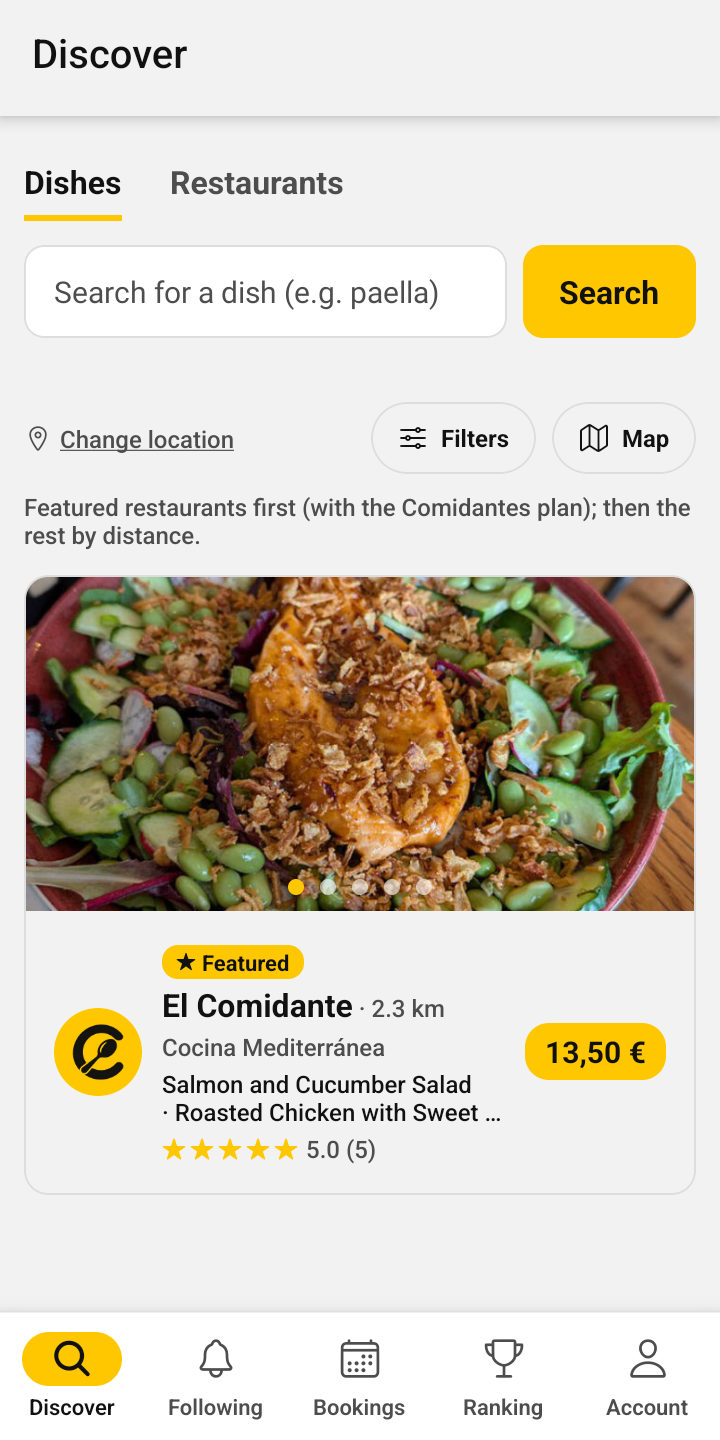
 El Comidante just posted its menu

 Coming soonfor iPhone
How it works
Open the app
We show you today's menus around you, in a list or on the map.
Choose
See the dishes, the price and what is included. Filter by distance and price.
Book or go
Ask for a table from the app, call or message the restaurant on WhatsApp, or get there with the map.
Everything you can do
Menus near you
With price and distance: you will never see an out-of-date one.
Fast-food deals
Bars and cafés with their deals at a set price.
Search for a dish or a restaurant
Fancy a paella? See who is serving it nearby today.
Dish alerts
Save your favourites and we will let you know when someone serves them.
Follow your restaurants
And get their daily menus on your phone.
The best in your city
A ranking built from customers’ ratings and reviews.
In your language
Menus are translated automatically into English.
Share a dish
On WhatsApp, with its photo: it opens without the app.
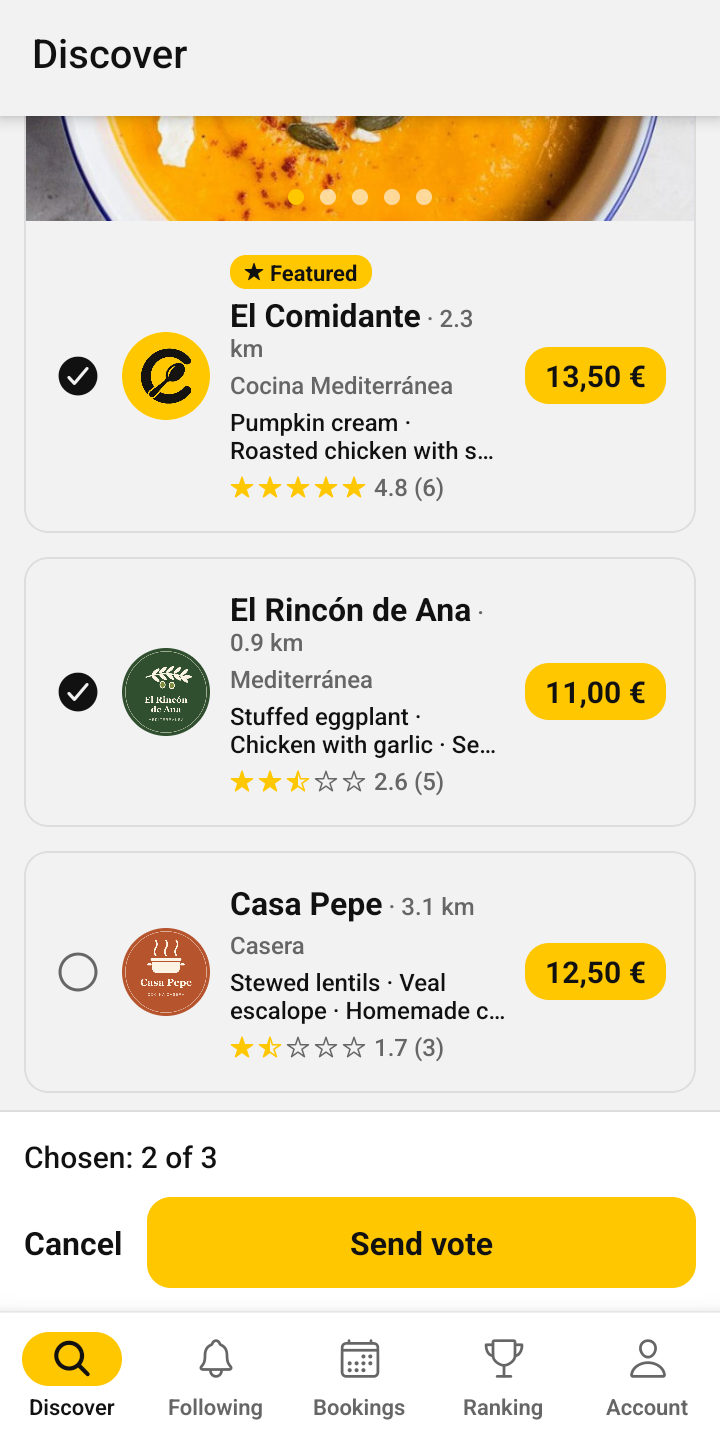
Where shall we eat today?
No more “I don’t mind, you choose”: decide together in a minute.
Pick 2 or 3 menus
The ones you fancy most.
Send it to your group
On WhatsApp, with one tap.
They vote without installing anything
From the browser and without an account, with each menu for today in view.
The result, straight away
How many votes each restaurant has.
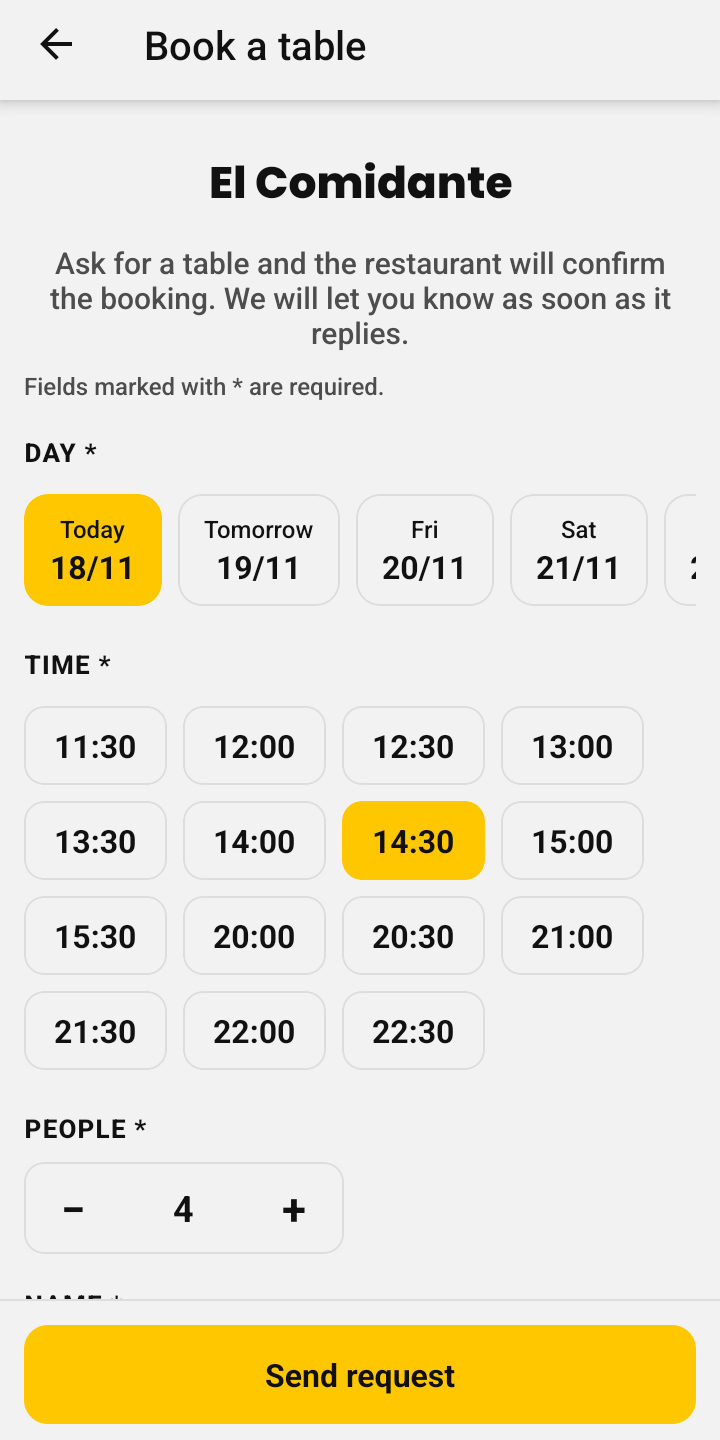
Book without calling
At restaurants that take bookings, you ask for a table from the app in a few seconds.
Choose day, time and people
Only the times the restaurant is open appear.
We let you know straight away
When it accepts or declines your booking.
All in one place
In «My bookings», and you can cancel them if your plans change.
We remind you
About two hours before.
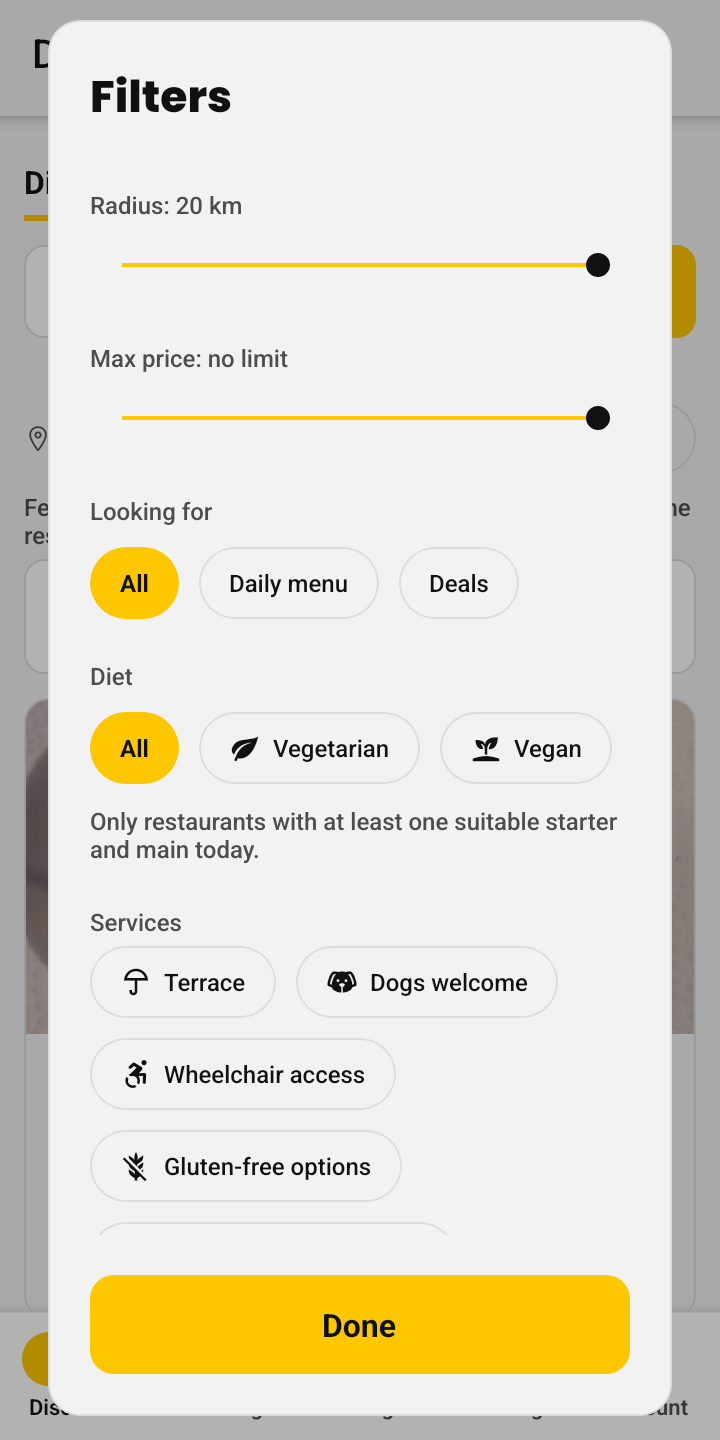
Eat your way
Find a menu that suits you before you leave home.
Vegetarian and vegan
Every dish has its label.
Filter what suits you
Only the ones with at least one starter and one main suitable for you.
No surprises
Sold-out dishes are crossed out before you go.
Terrace, dogs, gluten-free…
And wheelchair access, meal vouchers, high chairs, takeaway…
Allergens, clear on every dish
Each dish shows with icons which of the 14 allergens that must be declared it contains. So you know what you can eat before you arrive.
 Gluten
 Crustaceans
 Eggs
 Fish
 Peanuts
 Soy
 Milk
 Tree nuts
 Celery
 Mustard
 Sesame
 Sulphites
 Lupin
 Molluscs
The 14 official allergens
Those that European Regulation 1169/2011 requires to be declared, from gluten to molluscs.
At a glance
The icons appear next to each dish on the menu and the à la carte menu. Tap them to see their names.
Mark your allergies
In the app, under Account → My allergies, mark yours and the dishes that contain them will show up in red. They are stored only on your phone.
Always check
Each restaurant indicates them. If you have an allergy or intolerance, check with the restaurant before ordering.
Frequently asked questions
If you can't find your answer, write to us.
What is a «menú del día»?
It is the daily set lunch menu that many restaurants in Spain offer on weekdays: usually a starter, a main course and a dessert or coffee, often with bread and a drink, at a fixed price. Comidantes shows you today’s ones near you.
How much does it cost?
Nothing. Comidantes is free for customers.
Do I need to create an account?
To use the app, yes: you log in with your Google account in one tap or sign up with your email. To take a look at today’s menus near you, no: they’re at comidantes.com/hoy, no sign-up needed.
Do you store my location?
No. We use it at that moment to search for the menus near you. Only if you create dish alerts do we save the position from which you opened «My dish alerts», to let you know when a nearby restaurant serves that dish; it is deleted when you delete the alert.
Is the menu I see today’s?
Yes. We only show menus published today: they expire on their own every night, so you will never see yesterday’s as if it were today’s.
See all questions (16)
Can I trust the allergens?
Each restaurant indicates them and is responsible for that information. If you have an allergy or intolerance, always check with the restaurant before ordering.
How do I find out that my restaurant has published its menu?
Tap «Follow» on its profile and allow notifications: its daily menu reaches you in the mid-morning notification (at 11:30, or at 12:30 or 13:15 if it publishes later). If you prefer, you can ask for one notification per restaurant as soon as it publishes.
What are dish alerts?
You save the dishes you like (for example, «paella») and the maximum distance. When a nearby restaurant publishes a menu with that dish, you get a notification (at most one a day per alert), and in «My dish alerts» you see at a glance who is serving it today.
Can I book?
Yes. If the restaurant takes bookings, tap «Book a table» on its profile, choose the day, one of its times and the number of people, and send the request: you get a notification when it accepts or declines it, and you see them all in «My bookings». You can also call it or message it on WhatsApp with one tap.
Can I search for a restaurant by name or type of cuisine?
Yes. In Discover, choose «Restaurants» above the search box and type its name (or part of it) or a type of cuisine, like «italian»: they appear even if they haven’t published a menu today, and you see them in the list or on the map. Without typing anything, all the nearby ones appear. On the map, restaurants with a menu today are yellow and the rest grey.
Are there vegetarian or vegan options?
Yes. Vegetarian and vegan dishes are labelled, and in the Discover filters you can see only the restaurants that today have at least one suitable starter and main.
How do reviews work?
You rate the restaurant from 1 to 5 stars and, if you want, write a comment, which is published with your name (and your photo, if you have one). One per restaurant, and you can change it whenever you want: the date of your latest version is shown. The restaurant can reply, and its reply is shown below. On the profile you can sort reviews by recent, best or worst. Restaurants and their teams cannot rate or like. If you see an offensive or false review, report it.
How is the ranking made?
With customers' ratings. To appear, a restaurant needs at least 3. You can see it by city or by distance, up to 20 km.
Which phones does it work on?
On Android: download it for free on Google Play. The iPhone version is coming very soon; meanwhile, you can use it from the browser at app.comidantes.com. The app is in English, Spanish and Catalan.
Are the legal texts in English?
Not yet: the terms of use and the privacy policy are available in Spanish and Catalan. If you have any question about them, write to us.
How do I delete my account?
From «My account» → Delete my account. Your data, your reviews and the restaurants you follow are deleted immediately.
Questions or ideas?
Write to us: we reply right away. You can also tell us from the app, in Account → Ideas and bugs.
Message us on WhatsAppor by email: [email protected]
Do you have a restaurant?
Publish your daily menu with just a photo and reach the customers near you (page in Spanish).
Got an iPhone? Use it now
Until it reaches the App Store, add it to your home screen from Safari: it opens full screen, like an app.
- Open app.comidantes.com in Safari.
- Tap Share: the square with an arrow pointing up.
- Tap «Add to Home Screen» (if you cannot see it, tap «View More» first) and then «Add».
- Open it from the yellow Comidantes icon.
Take Comidantes with you
Free on Android, and coming soon to iPhone. Today’s menus near you, your restaurants and your bookings, always at hand.
Coming soonfor iPhoneShare it
If you know someone who would find it useful, send them the link.